Bazzite Portal
Overview
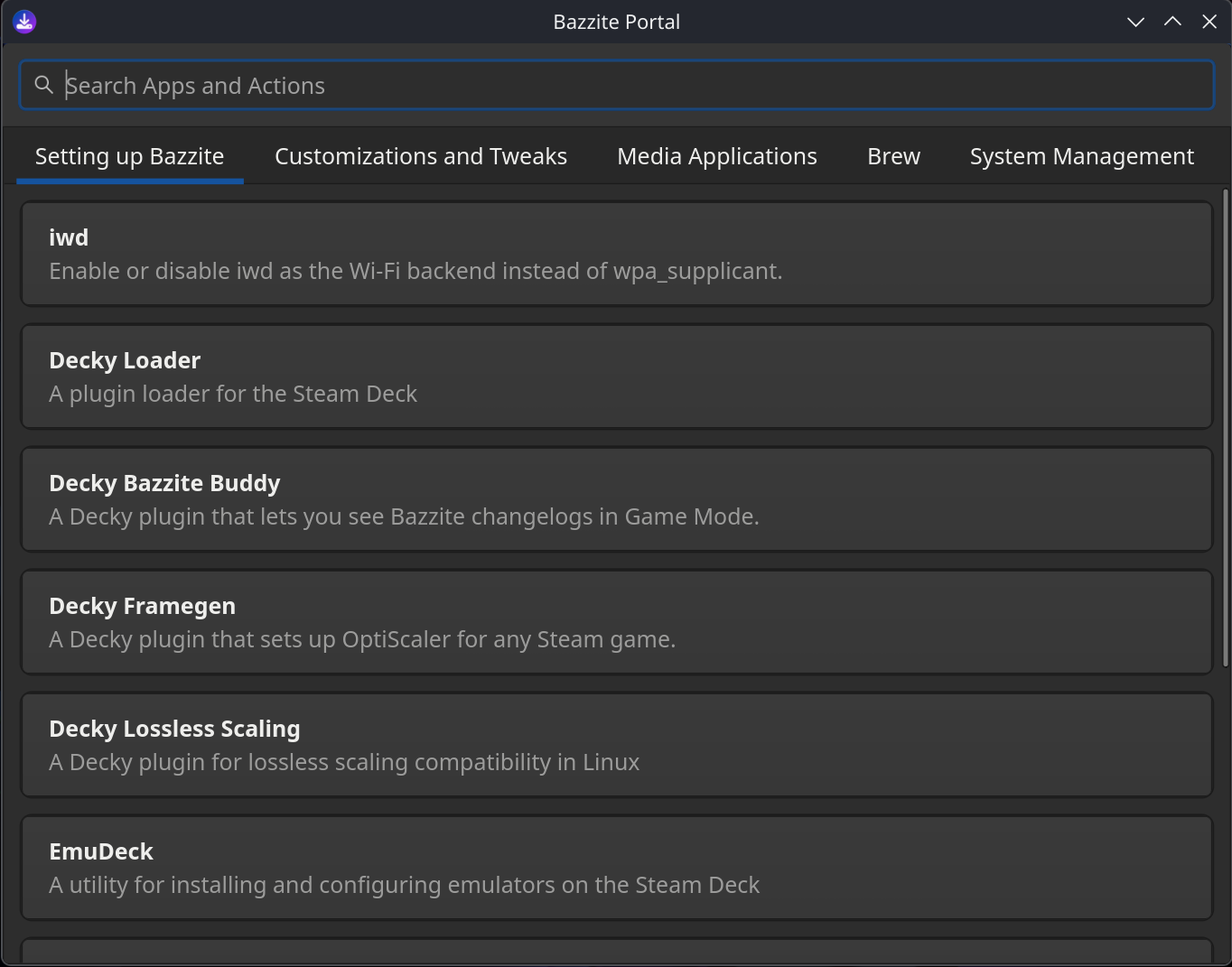
The Bazzite Portal is a configuration tool that uses ujust commands to enable features, install system updates, install specific packages, and troubleshoot system issues:
- Installs useful tools like Decky, OpenRGB, and Waydroid.
- Uses
topgradeto install updates for multiple package managers, including Bazzite, Flatpak (Bazaar), firmware (fwupdmgr), and Brew. - Installs Homebrew apps from the Universal Blue tap, and adds web apps for various streaming services.
- Gathers system logs, rolls back system updates, resets Bazzite to its default configuration, or rebases your system to a different version.
Want to know more?
To learn about the Bazzite Portal's internal workings, see How the Bazzite Portal works.
Launching Bazzite Portal
The Bazzite Portal is installed by default. To launch the app:
1. Click Application Launcher in the bottom-left corner.
2. Click System.
3. Click Bazzite Portal.
1. Click the Activities button in the top-left corner.
2. Click App Grid.
3. Type in "Bazzite".
4. In the search results, click Bazzite Portal.
Configuration settings
The Bazzite Portal's features are organized into categories:

Setting up Bazzite
This category installs various apps (such as Decky Loader) and integrates them with Steam, where supported.
| Feature | Description | ujust command |
|---|---|---|
| iwd | Switches the Wi-Fi backend between iwd and wpa_supplicant. The iwd backend can improve network performance in some circumstances. |
toggle-iwd |
| Decky Loader | Installs the Decky plugin loader. | setup-decky |
| Decky Bazzite Buddy | Shows the latest Bazzite changelogs in Decky. | get-decky-bazzite-buddy |
| Decky Framegen | Adds OptiScaler to a Steam game. | get-framegen |
| Decky Lossless Scaling | Adds compatibility for lossless scaling. | get-decky-lossless-scaling |
| EmuDeck | Installs emulators and adds them to Steam. | get-emudeck |
| Sunshine | Installs a self-hosted game streaming service, letting you play games remotely using a Moonlight client. | setup-sunshine |
| Waydroid | Installs a compatibility layer for Android apps. | configure-waydroid |
| OpenRGB | Control your device's RGB lighting. | install-openrgb |
| Resilio Sync | Installs a file synchronization tool that uses peer-to-peer networking. | install-resilio-sync |
Customizations and tweaks
This category contains settings to suit personal preferences or specific hardware.
| Feature | Description | ujust command |
|---|---|---|
| Add input group to current user | Runs a script that adds your user account to the input group. This is needed for compatibility with certain controller drivers. |
add-user-to-input-group |
| Visible Password Asterisks | Toggles password asterisks for sudo prompts. |
toggle-password-feedback |
| GRUB Menu Visibility | Hide or show the GRUB menu during the boot process. | configure-grub |
| Boot to Windows from Steam | If you're dual-booting with Windows, this adds a Steam menu item that lets you reboot into Windows. | setup-boot-windows-steam |
| Automounting | Configure automounting of BTRFS and EXT4 partitions under /run/media/system |
toggle-automounting |
| SteamOS Automounting | Enables or disables file system automounting for SteamOS. | enable-steamos-automount |
| Wake-on-LAN | Enables Wake-on-LAN support for remotely powering on your device. | toggle-wol |
| CEC Sleep Standby | Automatically puts your TV on standby when system sleeps. Uses HDMI-CEC and requires compatible hardware. | toggle-cec-sleep |
| Clean Steam Shortcuts | Automatically deletes any Steam shortcuts from your desktop whenever you reboot. | steam-icons |
| OpenTabletDriver | An open source tablet driver. | install-opentabletdriver |
| SSH Service | Enables remote SSH access to your system. | toggle-ssh |
| SteamCMD | A command-line client for Steam that lets you install dedicated servers. | get-steamcmd |
| Global FSR4 Upgrade (RDNA4) | Enables Proton FSR4 for RDNA4 GPUs. Also upgrades FSR 3.1+ to FSR 4 on Proton 10 (and Proton GE 10-25 or newer). | toggle-global-fsr4 |
| Global FSR4 Upgrade (RDNA3) | Enables Proton FSR4 for RDNA3 GPUs, such as the RX 7900 XTX. Also upgrades FSR 3.1+ to FSR 4. Only compatible with Proton GE, Proton EM, or similar. | toggle-global-fsr4-rdna3 |
| Global DLSS Upgrade | Enables the Proton DLSS upgrade, which updates DLSS DLLs. Only compatible with Proton GE, Proton EM, or similar. | toggle-global-dlss |
| REISUB | Enables all the magic SysRq key functions, using kernel.sysrq = 1. Note: This setting is considered insecure. |
toggle-reisub |
Media Applications
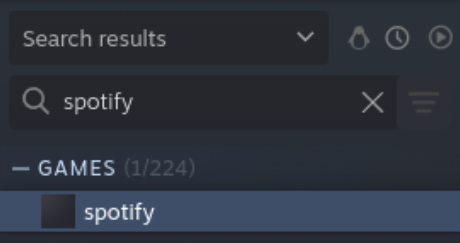
This category installs web apps for various gaming and video streaming services, such as Spotify and Youtube.
This integration lets you run the web app directly from your Steam library. For example:
Brew
This category lets you install Homebrew apps from the Universal Blue tap.
| Feature | Description | Brew component |
|---|---|---|
| Add the Ublue tap | Adds the Universal Blue Brew tap. | ublue-os/tap |
| Install Visual Studio Code (Needs Ublue Tap) | Installs the Visual Studio Code editor. | visual-studio-code-linux |
| Install Antigravity (Needs Ublue Tap) | Installs Google Gravity, an IDE for an AI Coding Agent. | antigravity-linux |
| Install LM Studio (Needs Ublue Tap) | Installs LM Studio, letting you run LLMs on your computer. | lm-studio-linux |
| Install JetBrains Toolbox (Needs Ublue Tap) | Installs JetBrains Toolbox. | jetbrains-toolbox-linux |
| Install VSCodium (Needs Ublue Tap) | Installs the VSCodium editor. | vscodium-linux |
Systems Management
This category lets you update your system and do advanced troubleshooting. You can gather system logs, rollback system updates, reset Bazzite to its default configuration, or rebase your system to a different version.
- Update Bazzite and Apps: See the Update Guide.
- Rebase Bazzite (stable and testing): See the Rebase Guide.
- Rollback Bazzite: See Rollbacks and Bazzite Rollback Helper.
How the Bazzite Portal works
This section explains how the Bazzite Portal uses a configuration file to organise and run its ujust commands.
The Bazzite Portal's configuration is stored in /usr/share/yafti/yafti.yml, where you can see the menu items and the commands they'll run.
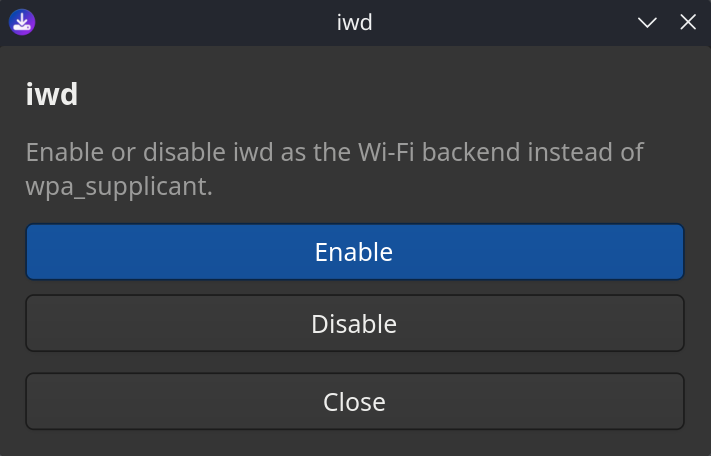
For example, this entry shows the ujust commands used by the iwd setting:
     - id: "toggle-iwd"
        title: "iwd"
        description: "Enable or disable iwd as the Wi-Fi backend instead of wpa_supplicant."
        default: false
        status_script: "ujust toggle-iwd status"
        options:
          - id: "enable"
            label: "Enable"
            script: "ujust toggle-iwd enable"
          - id: "disable"
            label: "Disable"
            script: "ujust toggle-iwd disable"
This configuration generates menu options in Bazzite Portal that let you enable or disable iwd:
Want to know more?
For more information about how a specific ujust command works , see ”View each ujust script's source code”.