Manual Partitioning
Note
This installation guide is for the legacy ISO and an updated guide for the new ISOs will be coming soon.
Only users who are dual booting on the same drive should use these instructions. Automatic partitioning is preferred in other cases.
Bazzite only supports the BTRFS filesystem for /
Manual Partitioning Instructions
If you need a tutorial video for manual partitioning, watch this tutorial at timestamp 9:10.
- Select Installation Destination
- Select
Advanced Custom(Blivet-GUI)under Storage Configuration.

- Create the following partitions and devices:
- /boot/efi

mount point: /boot/efi format: EFI system partition size: 300MB - /boot

mount point: /boot format: ext4 size: 2GB - btrfs partition

mount point: format: btrfs size: [max] - /
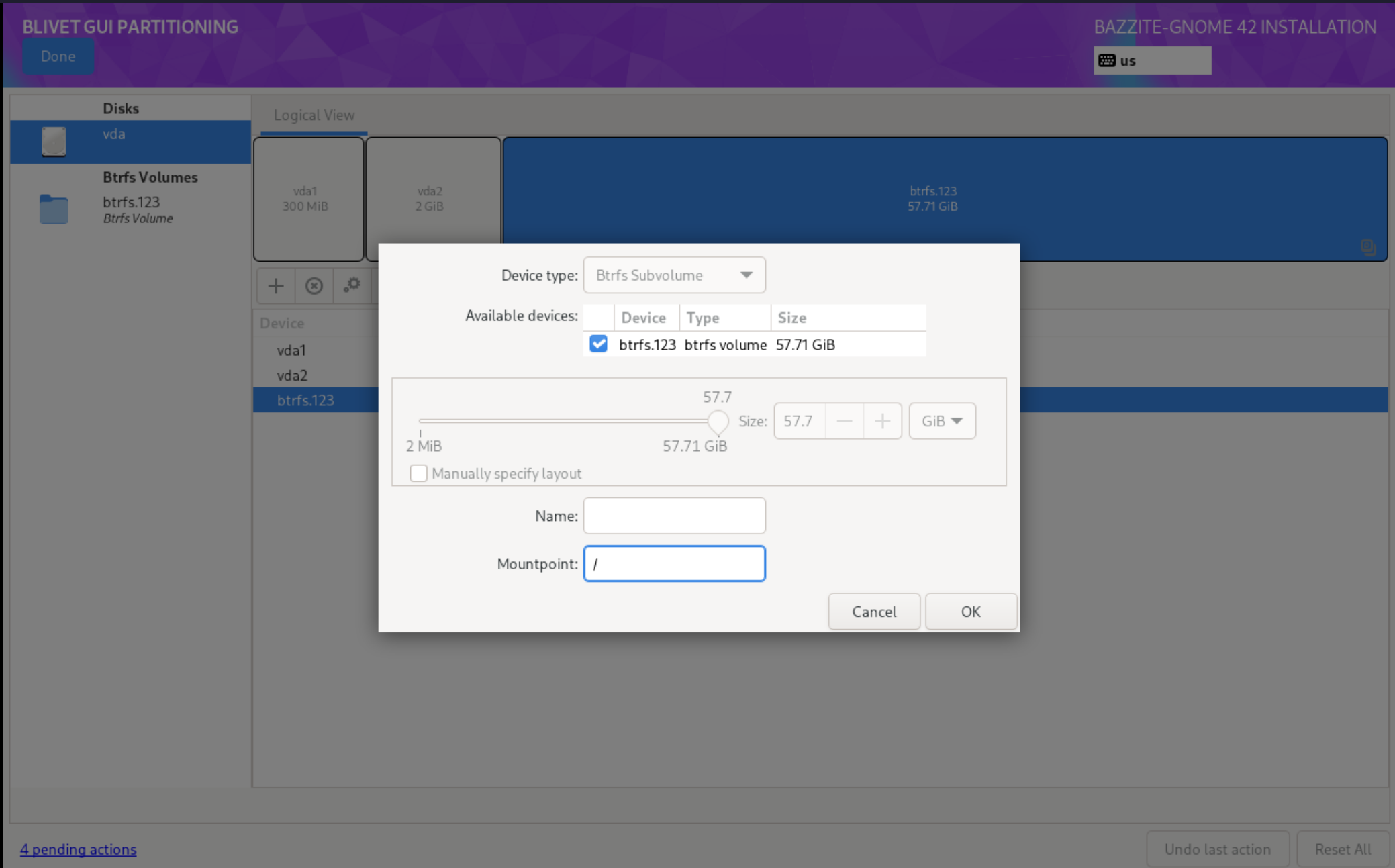
mount point: / format: btrfs (subvolume) - /var

mount point: /var format: btrfs (subvolume) - /var/home

mount point: /var/home
format:      btrfs (subvolume)
- /boot/efi
- Select Done
- Select Accept Changes
- Continue with the installation.